Description
Seller Name:G5ENTERPRISES
INSTALLATION:UltraViwer Via Software Install (OR)
Software Drive Link Sent To Your WHATSAPP
DELIVERY TIME: 3 TO 24HOURS
GMAIL:G5ENTERPRISESTN.INDIA@GMAIL.COM
We Offered The Best Softwares Deals For Windows And Mac Users and Original Digital License Key Professional Softwares Every Day On G5ENTERPRISES.
SOFTWARE Validity:LIFETIME.
This Software With Activator Zip File That I’M Giving Good IT Engineer Using Version For You,
Does Not To Be Activate Original License Key & Digital License Key For You,
Only We Will Provide For This Software And Activator Zip File Pack,
But It Works With Full Features In Windows 10 OS.
Software Technical Support:24/7 Customer Support
Description & Features
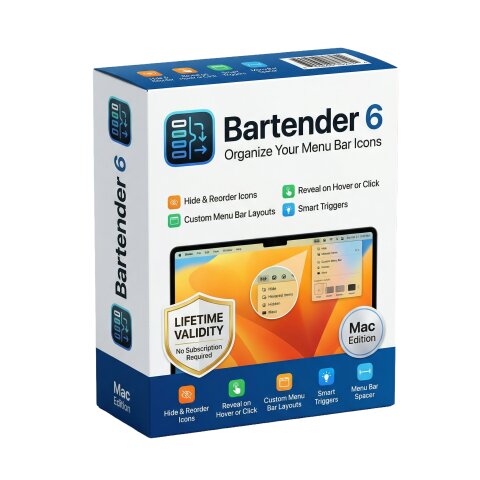
Bartender 6 for macOS is a powerful utility designed to give users full control over their Mac’s menu bar, helping declutter and organize icons for a cleaner, more efficient workspace. Built specifically for the latest macOS versions, it has been completely redesigned to deliver improved performance, customization, and automation.
At its core, Bartender allows users to hide, rearrange, and manage menu bar icons effortlessly. You can choose which items remain visible, which are hidden, and which stay permanently out of view. Hidden items can be instantly accessed through hover, click, or gestures, ensuring functionality is never lost while maintaining a minimalist interface.
One of the standout features is the Bartender Bar, a secondary menu bar that stores hidden icons separately, keeping your main menu bar clean without sacrificing accessibility. This is especially useful for MacBook users with limited space or notched displays.
Bartender 6 introduces advanced automation tools, including presets and triggers. Users can create different menu bar layouts for various scenarios—such as work, home, or battery-saving mode—and switch between them automatically based on conditions like time, location, Wi-Fi network, or battery level.
The app also includes grouping functionality, allowing multiple menu bar items to be combined into a single expandable icon for better organization. Combined with Quick Search, users can instantly locate and activate any menu bar item using keyboard input, improving productivity and workflow efficiency.
Customization is another major strength of Bartender 6. Users can style the menu bar with different visual themes such as solid colors, gradients, or glass effects, and adjust spacing, borders, and layout to match their preferences.
The latest version also introduces Layout Modes, giving users the choice between manual (“On-Demand”) organization or automatic (“Live”) arrangement that dynamically updates the menu bar when changes occur.
Built from the ground up for modern macOS versions, Bartender 6 is optimized for performance and supports the latest system changes. However, it requires newer macOS versions due to system-level updates in how menu bar items are handled.