Description
Seller Name:G5ENTERPRISES
INSTALLATION:UltraViwer Via Software Install (OR)
Software With Activator Zip File Sent To Your WHATSAPP.
DELIVERY TIME: 3 TO 24HOURS
GMAIL:G5ENTERPRISESTN.INDIA@GMAIL.COM
We Offered The Best Softwares Deals For Windows And Mac Users and Original Digital License Key Professional Softwares Every Day On G5ENTERPRISES.
SOFTWARE Validity:LIFETIME.
This Software With Activator Zip File That I’M Giving Good IT Engineer Using Version For You,
Does Not To Be Activate Original License Key & Digital License Key For You,
Only We Will Provide For This Software And Activator Zip File Pack,
But It Works With Full Features In Windows 10 OS.
Software Technical Support:24/7 Customer Support
Description
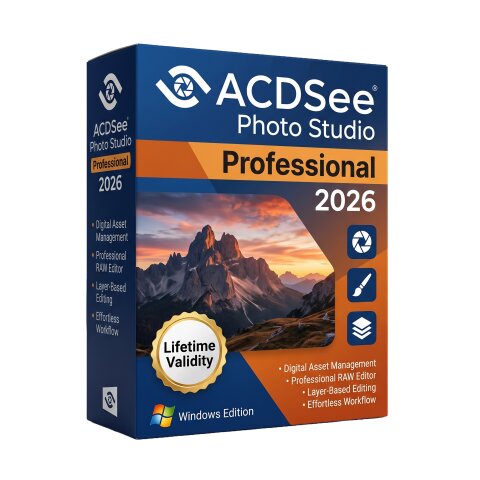
ACDSee Photo Studio Professional 2026 for Windows is a professional photo management, RAW image editing, and digital asset management (DAM) software designed for photographers, content creators, designers, and imaging professionals. It combines advanced photo organization, non-destructive RAW processing, AI-powered editing tools, and layer-based image editing in a single application, providing an efficient workflow for managing and enhancing large photo collections.Built for both professional and enthusiast photographers, ACDSee Photo Studio Professional 2026 offers powerful cataloging features with keywording, facial recognition, metadata management, ratings, color labels, and advanced search capabilities. Its integrated RAW editor provides precise control over exposure, color, detail, and lens corrections, while GPU acceleration ensures responsive performance during editing and batch processing.Version 2026 introduces new AI-powered tools including AI Denoise, AI Develop Presets, and AI Hair Masking, along with an expanded Activity Manager, improved workflow management, enhanced People Mode, JPEG XL (JXL) support, and numerous usability improvements. These enhancements help photographers edit faster while maintaining high image quality and an organized workflow.
Features
- Professional photo management and digital asset management (DAM)
- Non-destructive RAW image processing and editing
- AI Denoise for reducing image noise while preserving detail
- AI Hair Masking and intelligent AI selection tools
- AI Develop Presets for faster photo enhancement
- Layer-based photo editing and compositing
- Advanced color correction, exposure, HDR, and tone adjustment tools
- Facial recognition, keyword tagging, ratings, and metadata management
- Batch editing, batch renaming, and automated workflow actions
- Comprehensive lens correction and RAW support for hundreds of camera models
- GPU-accelerated image processing for improved performance
- Supports JPEG XL (JXL), HEIF, AVIF, TIFF, PSD, PNG, JPEG, GIF, RAW, and many other image formats
- Built-in slideshow, printing, sharing, and watermarking tools
- Customizable workspace and professional workflow management